
Resources
Whether you’re running a live workout stream, playing a horror game, or hosting an exciting watchalong, a heart rate monitor widget can bring viewers closer to you. Heart rate widgets help visualize adrenaline-fuelled moments, creating an immersive experience. That’s why we’ve partnered with our friends at Pulsoid to create heart rate monitor streaming overlays.
Our Pulsoid heart rate monitor widgets display your heart rate in beats per minute. Each animated overlay links up to accurate, real time data fed from any Pulsoid heart monitor for streaming, or other supported devices (including your Fitbit or Garmin watch).
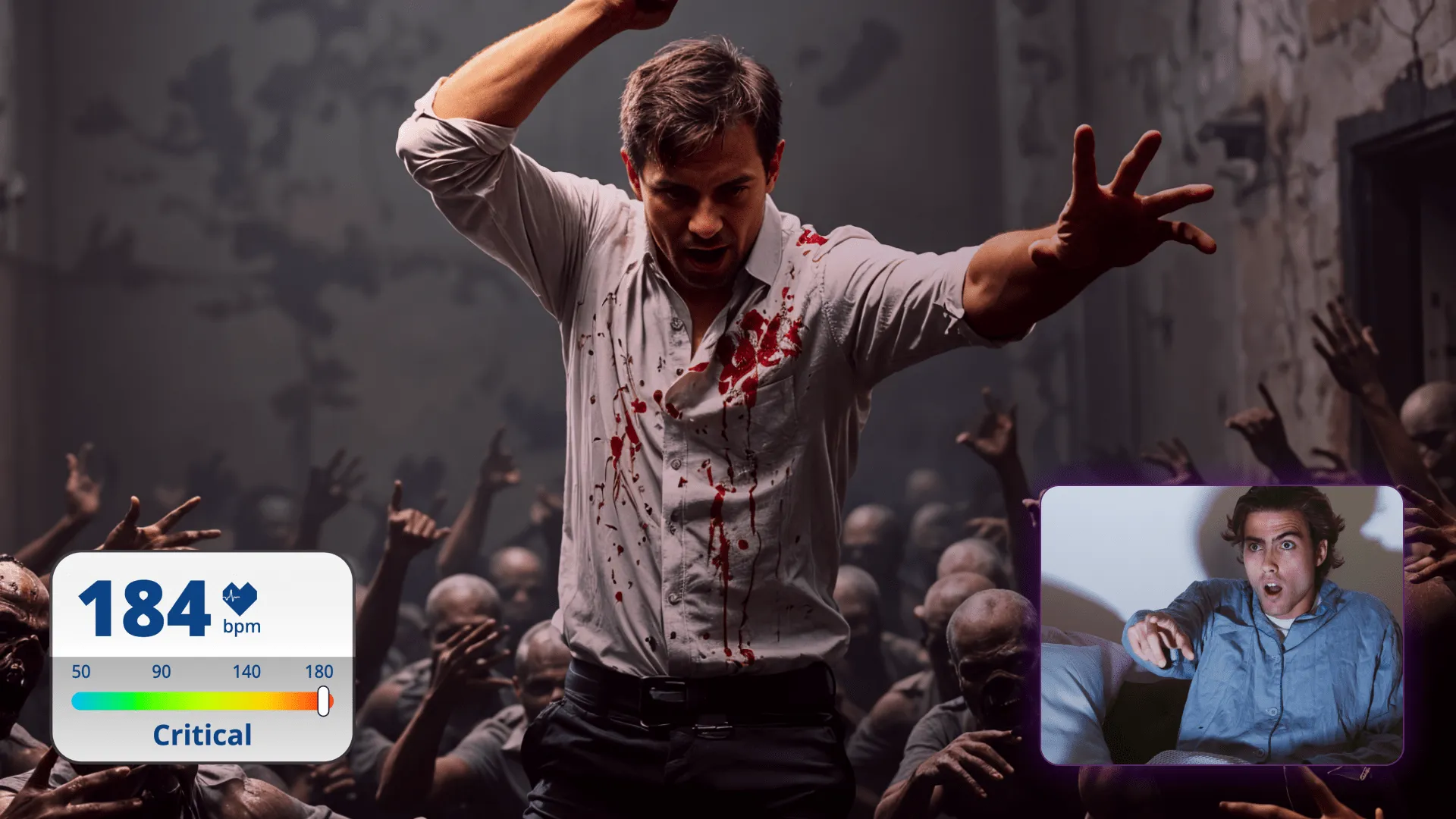
A live stream heart monitor widget visualizes how you’re feeling during a horror game’s jumpscare, how hard you’re pushing during a live streamed workout, or how pumped you are during a watchalong stream of a soccer game. People often use a gaming heart rate monitor to connect better with their viewers, reassuring them that reactions are unscripted and genuine. Not only do our Pulsoid overlays enrich your live stream’s storytelling and narrative, but they also help build tension and invite your audience to ride each emotional rollercoaster with you.
An extra benefit is that – like all uno overlays – our Pulsoid widgets are 100% online. That means you won’t need to download a special app or rely on pesky ZIP files. With automatically-updated real time heart rate data, you don’t have to worry about the overlay controls mid-stream. Once you’ve added the widget you want to your streaming layout, you’re done!
You can link our specially-designed overlays to Pulsoid’s heart data in just a few simple steps:
1. Sign up to Pulsoid using your email address.
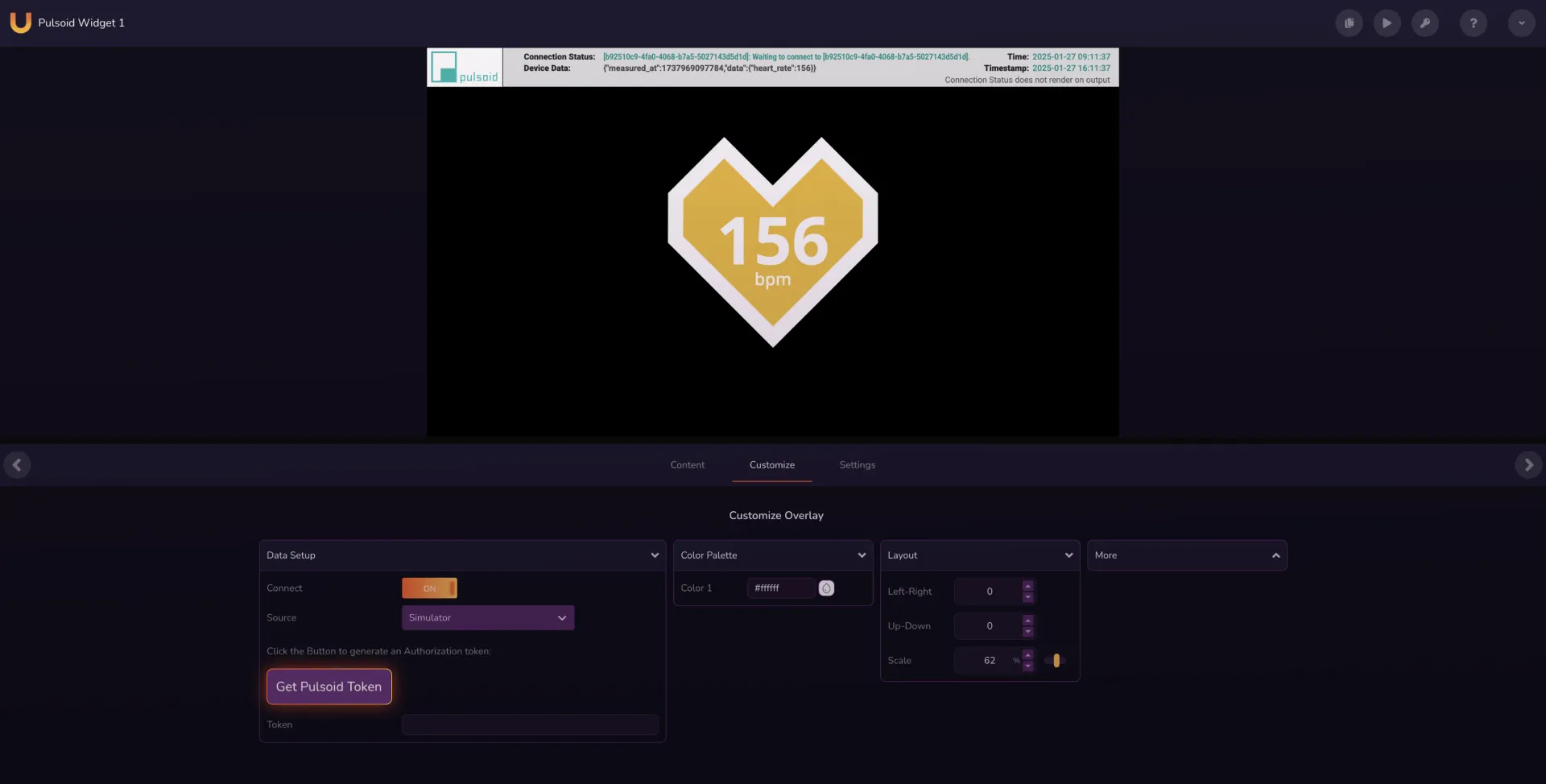
2. Choose from one of our Pulsoid widget overlays and click “Add to My Overlays” to add the overlay to your personal library. (In this example, we’re using the Pulsoid Widget 1.) You’ll be automatically redirected to your personal library of overlays. Now, double click the Pulsoid widget overlays to open up the online controls interface.
3. Go to the Customize panel and click “Get Pulsoid Token”. This will take you directly to Pulsoid’s website.
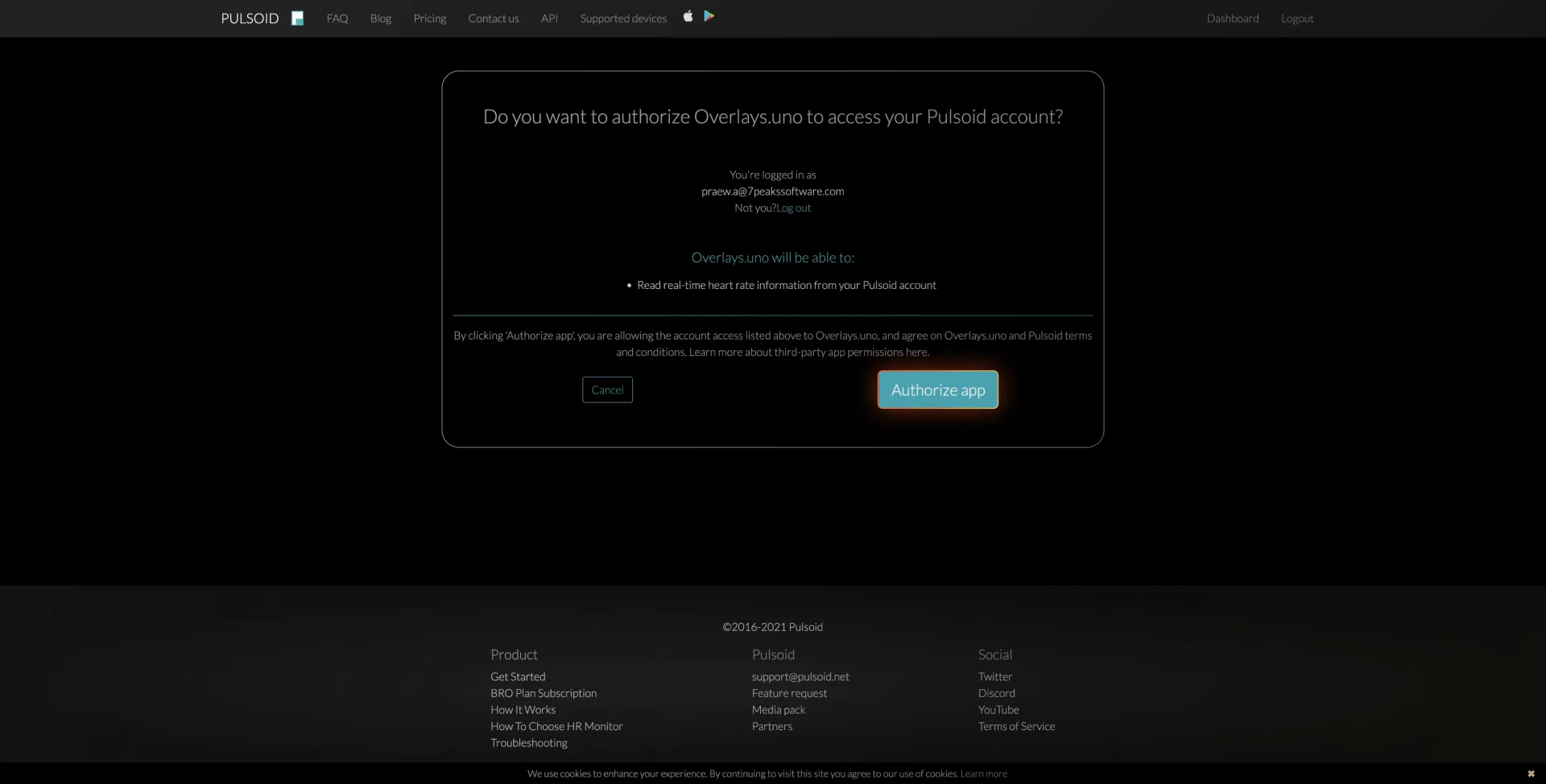
4. Click “Authorize App” to authorize the connection between overlays.uno and Pulsoid.
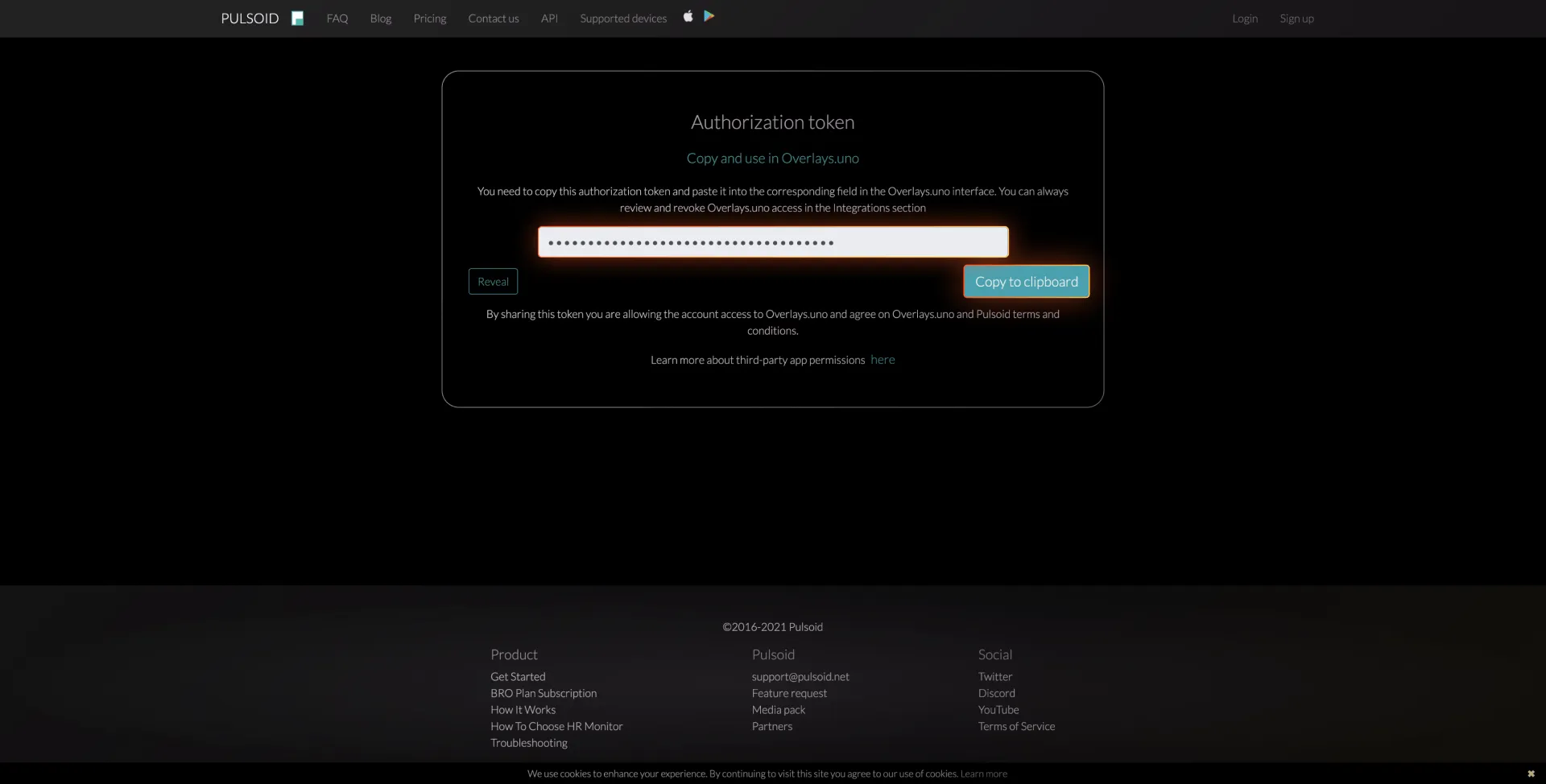
5. You’ll be taken to a page with the Pulsoid authorization token. Click “Copy to clipboard” to copy the Pulsoid Token.
6. Go back to the uno overlay online controls interface. Paste the Pulsoid Token into the Token field.
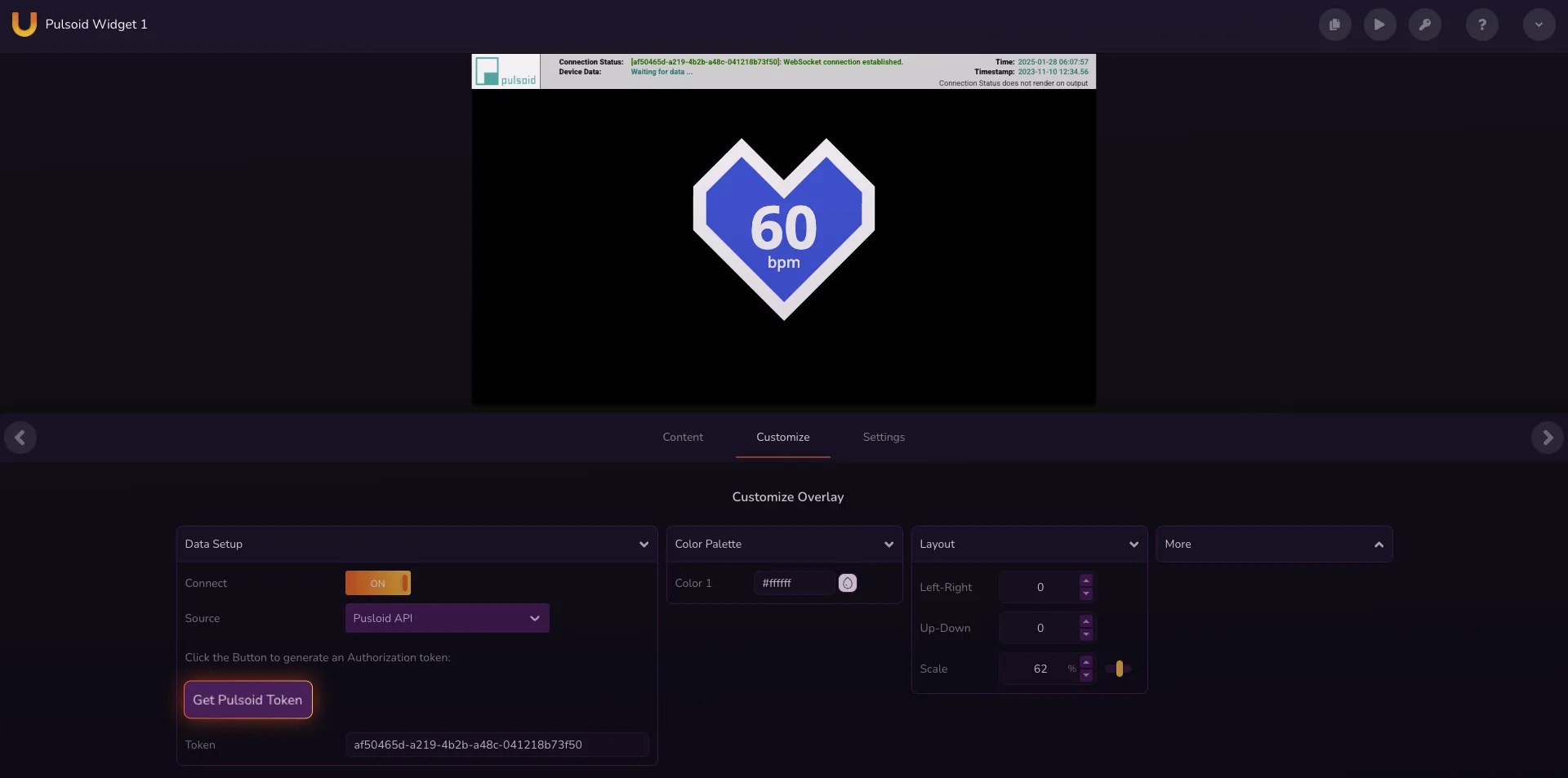
Once you put on your device, the Pulsoid heart monitor overlay should reflect your heart rate as it changes in real time! Add this overlay to your OBS scene layout or integrate it in any of your favorite streaming software. You can also edit the overlay’s color palette to match your channel’s branding.
If you’re experiencing any problems with our heart rate monitor streaming overlays, have any requests for new overlays, or just want some tips on live streaming, join the conversation on our official Discord!


